 Achiever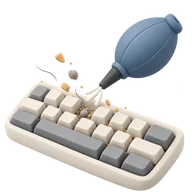
Keyboard Deep Clean
5 pointsDigital Hygiene
Clean out the crumbs, dust, and hair from inside your keyboard using compressed air or tools.
How to complete Keyboard Deep Clean
Keyboards collect a startling amount of crumbs, skin, and hair in the gaps under the keys, which eventually causes sticky or dead switches. A proper clean-out makes typing feel crisp again and is the cheapest way to extend a board's life.
- Unplug the keyboard (or power off a wireless one), flip it upside down, and give it a firm shake over a bin.
- Blast between the keys with compressed air in short bursts, working row by row from one side to the other.
- Wipe the keycaps with a slightly damp microfiber cloth or an alcohol wipe to lift grime.
- For a deeper clean, pop off the keycaps with a puller, brush the exposed base, then refit them.
Tips
- Photograph the layout before removing keycaps so each one goes back in the right place.
- Leave the large stabilized keys (space, enter, shift) alone unless confident, since they are fiddly to re-seat.
- Hold compressed-air cans upright and use short bursts so you don't spray liquid propellant onto the board.
What counts as done
Tilting the keyboard shakes nothing loose, the keycaps look clean, and every key presses without sticking.
5
points awarded
—
raritysoon
Track this achievement
Sign up for free and start earning points for real-life milestones.
Start trackingRecently completed by
More Digital Hygiene

Breach Check
Run your email addresses through a breach checker and change any compromised passwords.
10 points

Password Vault
Migrate your logins to a password manager and retire the three passwords you use everywhere.
30 points

The Update Day
Update the OS and every app on all your devices in one sitting. No more red badges.
10 points

App Graveyard
Delete every app you haven't opened in 6 months.
10 points

Inbox Zero
Get your inbox to zero unread emails. Archive, unsubscribe, breathe.
25 points

The Spam Call Blockade
Enable 'Silence Unknown Callers' to permanently end the era of telemarketing interruptions.
10 points