 Achiever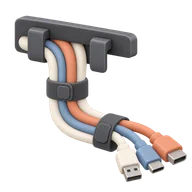
Cable Management Cords
20 pointsDigital Hygiene
Route and tie the tangled cables under your desk into a clean, professional-looking system.
How to complete Cable Management Cords
A nest of cables under the desk traps dust, turns swapping one device into an untangling hunt, and quietly stresses the cords. Routing them properly once makes the area something you can clean and change in seconds.
- Unplug everything and untangle it fully; start from a clean slate, not the existing knot.
- Group cables by destination and bundle each run with velcro straps rather than zip ties.
- Mount a cable tray, raceway, or adhesive clips under the desk lip to lift cords off the floor.
- Stick the power strip to the underside or a leg so only one feed reaches the wall.
- Flag both ends of each cable with labeled tape so future you knows what's what.
Tips
- Leave a little slack at each device so you can pull a monitor or laptop forward without unplugging.
- Velcro beats zip ties: you'll add or remove gear, and cutting ties every time gets old.
- Clean the floor under the desk now; it won't be this accessible again for a while.
What counts as done
No cables tangled on the floor: every run is bundled, routed off the ground, and traceable, with the desk movable without snags.
20
points awarded
—
raritysoon
Track this achievement
Sign up for free and start earning points for real-life milestones.
Start trackingRecently completed by
More Digital Hygiene

Breach Check
Run your email addresses through a breach checker and change any compromised passwords.
10 points

Password Vault
Migrate your logins to a password manager and retire the three passwords you use everywhere.
30 points

The Update Day
Update the OS and every app on all your devices in one sitting. No more red badges.
10 points

App Graveyard
Delete every app you haven't opened in 6 months.
10 points

Inbox Zero
Get your inbox to zero unread emails. Archive, unsubscribe, breathe.
25 points

The Spam Call Blockade
Enable 'Silence Unknown Callers' to permanently end the era of telemarketing interruptions.
10 points